Stop hand-packaging apps for Intune.
PatchBee keeps 5,872 Windows and macOS apps ready to deploy. Pick one and it writes the install and detection logic, builds the .intunewin, then publishes and assigns it to your Entra groups.
Works with Microsoft Intune and Entra ID. Packages Windows and macOS apps.
What PatchBee handles
The tedious, error-prone parts of getting apps onto Intune, handled the same way across Windows and macOS.
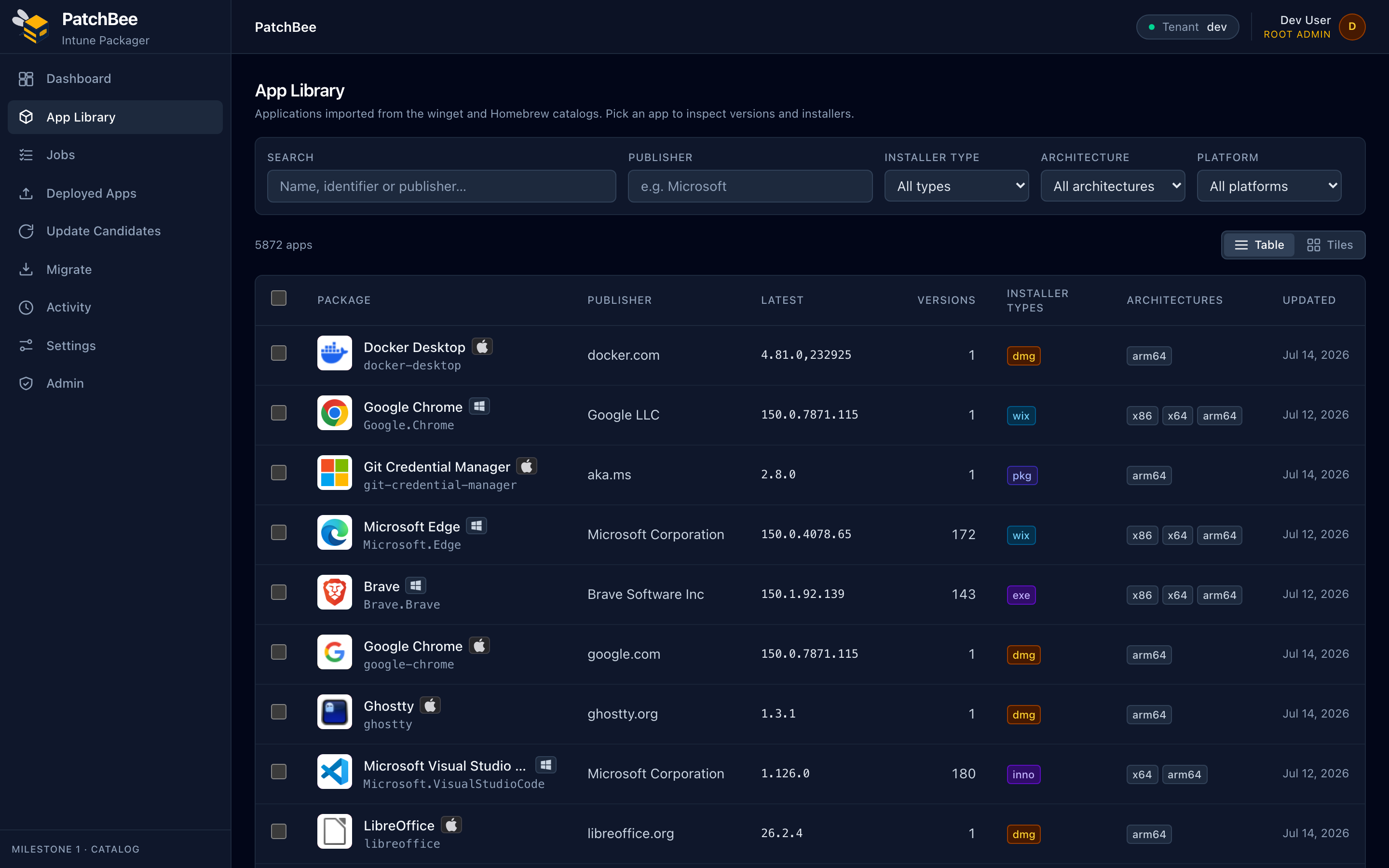
Curated catalog
4,551 Windows apps from winget and 1,321 macOS apps from Homebrew, scoped to what companies actually deploy and ranked by real-world popularity. No more hunting vendor download pages.
One-click packaging
Pick an app and PatchBee generates the whole Intune plan: install and uninstall commands, detection rules, requirements, and a signed .intunewin.
Publish and assign
Connect your tenant once. After that, packaging, publishing, and assigning to Entra groups all happen in one place.
Update automation
PatchBee spots new versions and rolls them out through staged rings, with auto-approve policies, supersedence, and one-click rollback when a build goes wrong.
Multi-tenant and MSP
Manage many customer Intune tenants from one console, with per-customer scoping so a job always lands in the right place.
Secure by design
Entra sign-in, encrypted connection secrets, SSRF-guarded downloads, and a SHA-256 check on every installer before it ships.
A real plan for every installer type
PatchBee inspects each app and builds a deployment plan you can read before it ships. MSI, EXE, pkg, dmg, and native MSIX each get the right handling.
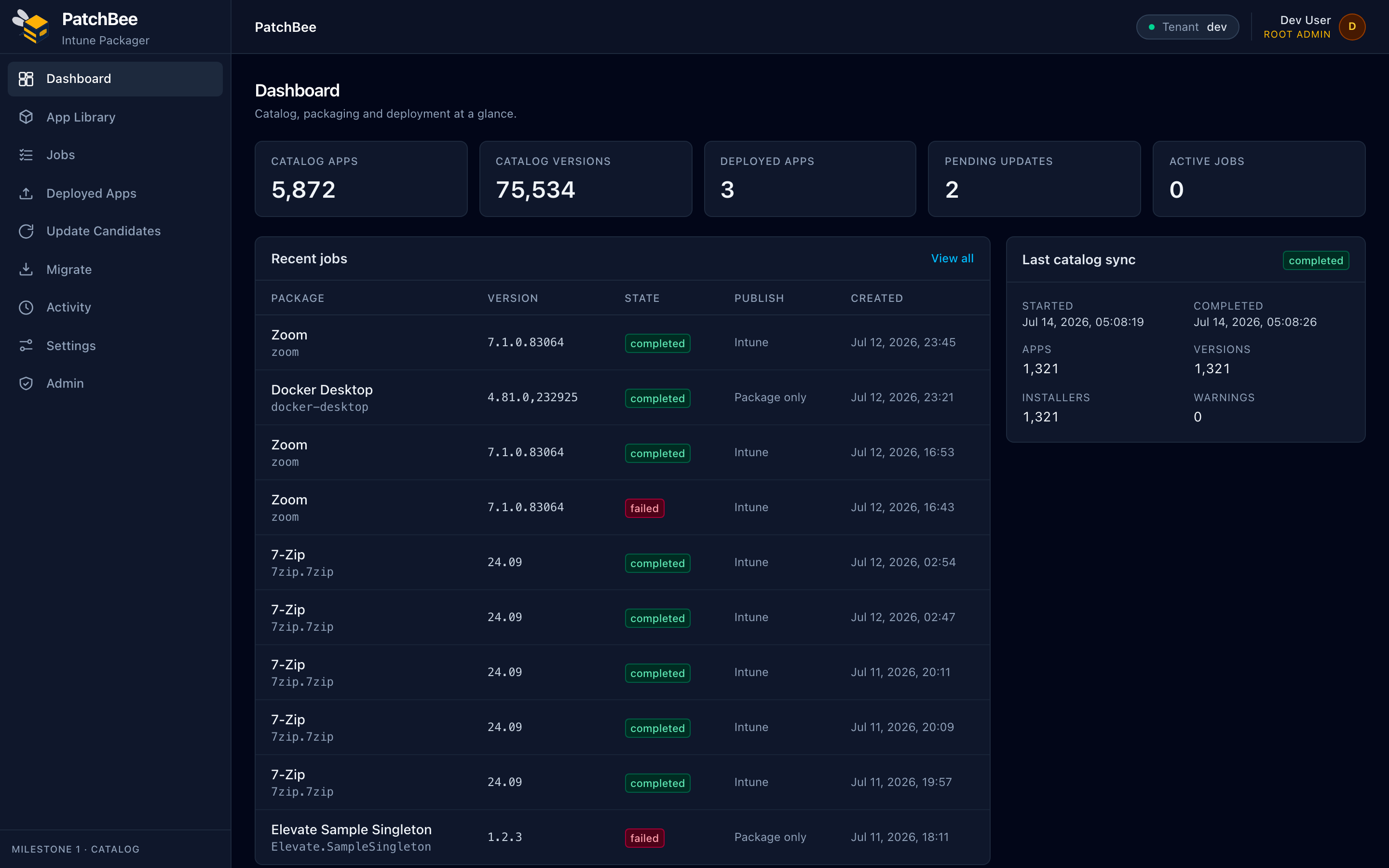
Deployment dashboard
Catalog totals, recent packaging jobs, and the last catalog sync.

Windows package plan
Generated msiexec install and uninstall commands, with detection rules.
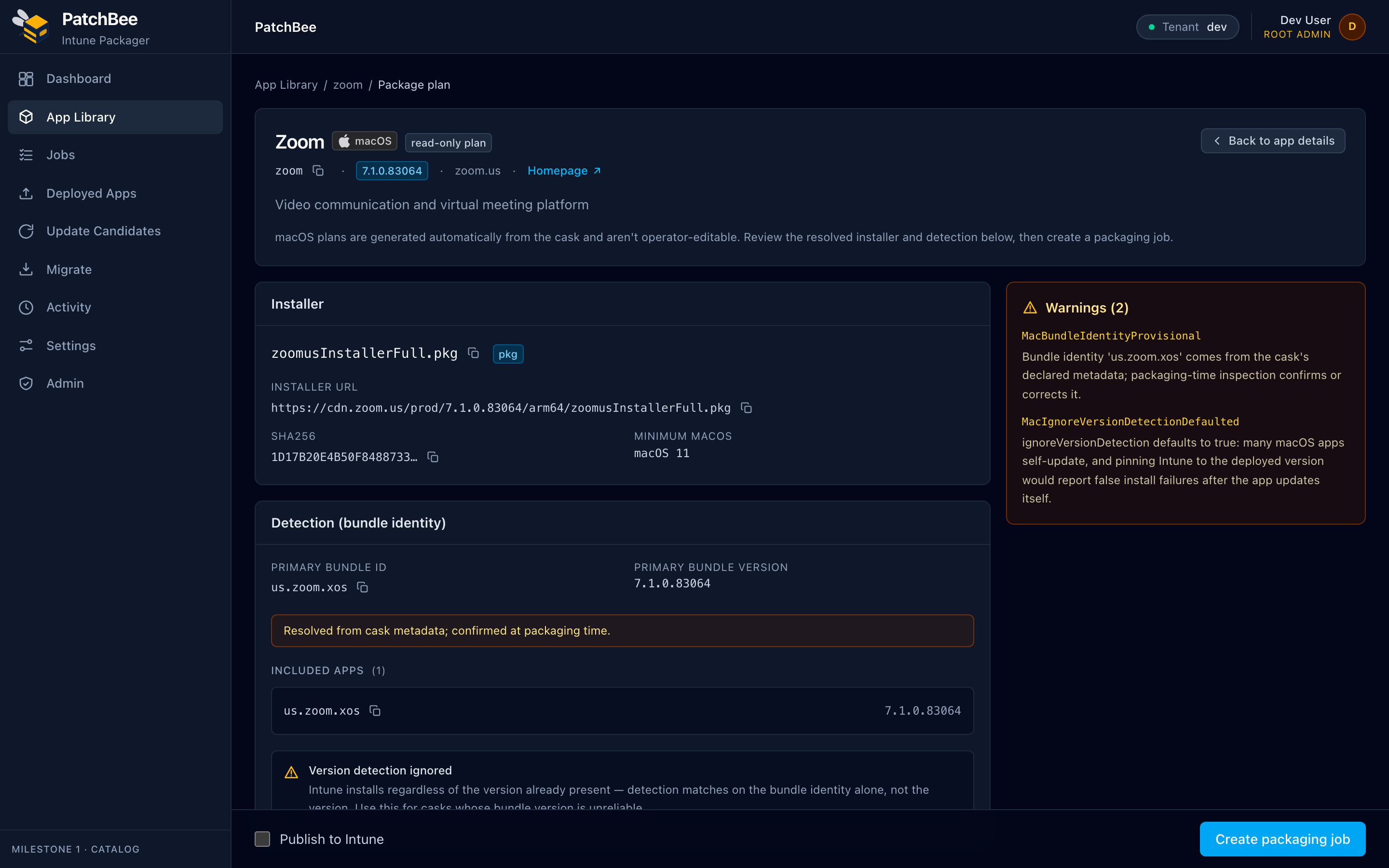
macOS bundle-identity detection
pkg and dmg installers deploy with bundle-identity detection.
How it works
Connect once, then every app follows the same four steps.
- 1
Connect your Intune tenant
A one-time Entra sign-in with encrypted, least-privilege credentials.
- 2
Pick an app from the catalog
Search 5,872 Windows and macOS apps by name, publisher, or type.
- 3
Read the generated plan
Check the install commands and detection rules, and change anything before you package.
- 4
Publish and assign
PatchBee builds the .intunewin, publishes it, and assigns it to your groups.
Every app in the catalog has a working path to Intune.
Packaging one app used to mean chasing an installer, then guessing the right silent-install switches, then writing detection rules by hand, and repeating all of it on the next update.
PatchBee does that work and shows you the result before anything ships, so a package that took an afternoon takes a couple of minutes and behaves the same on Windows and macOS.
- Minutes
- to package an app, not an afternoon
- 100%
- of the catalog has a working deploy path
- Windows + macOS
- packaged from one console
Try PatchBee on your tenant.
Connect Intune, package a real app, and publish it during a trial. No card needed to explore the catalog.