Features
What happens between picking an app in the catalog and it landing on your fleet, one step at a time.
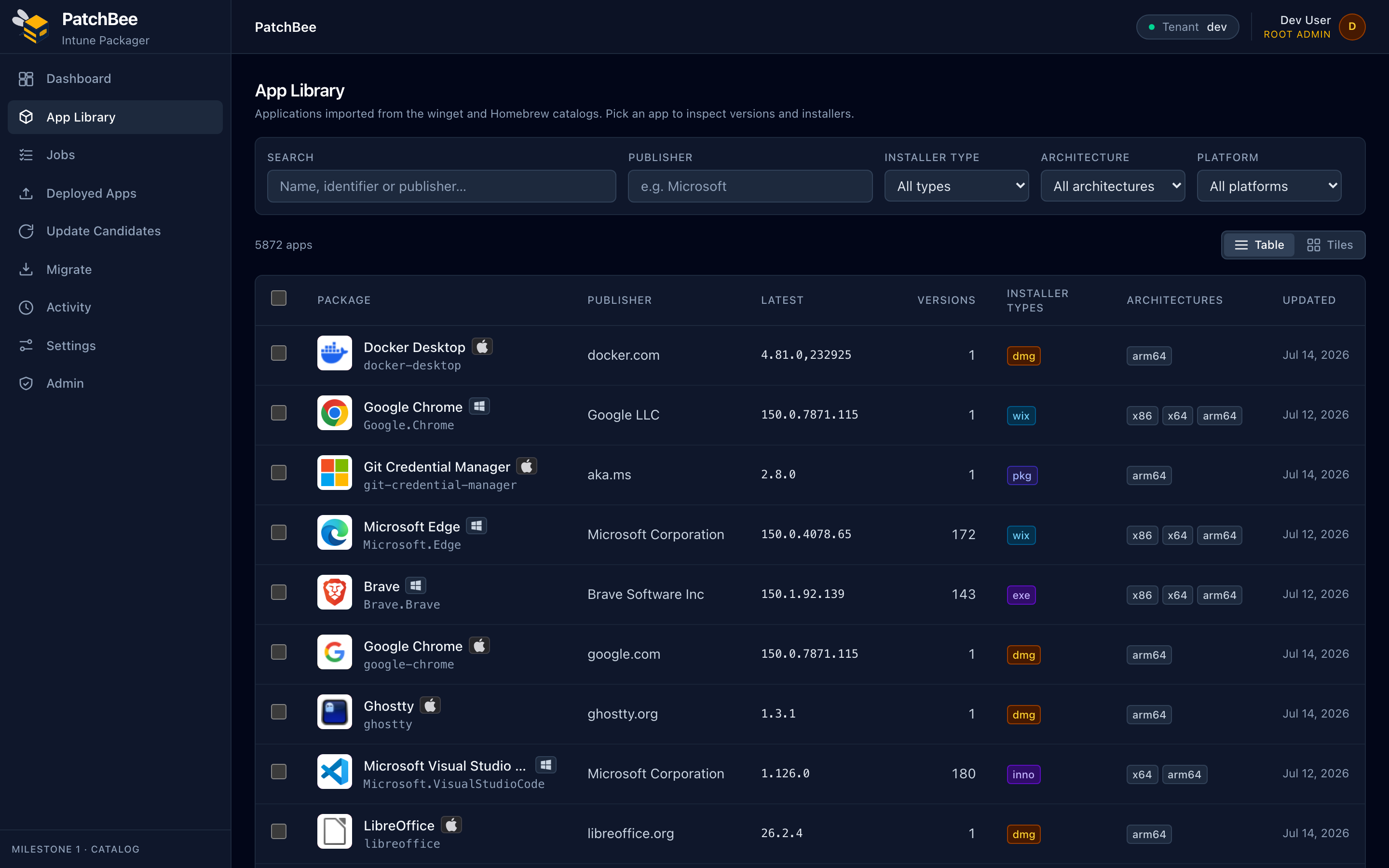
Curated catalog
A catalog scoped to what businesses actually deploy
4,551 Windows apps from winget and 1,321 macOS apps from Homebrew, hand-scoped, deduplicated, and ranked by popularity, with real icons, publishers, versions and installer-type badges. No more hunting vendor download pages.
- 5,872 apps across Windows and macOS
- Search by name, publisher, installer type or architecture
- Real icons, versions and popularity ranking
One-click packaging engine
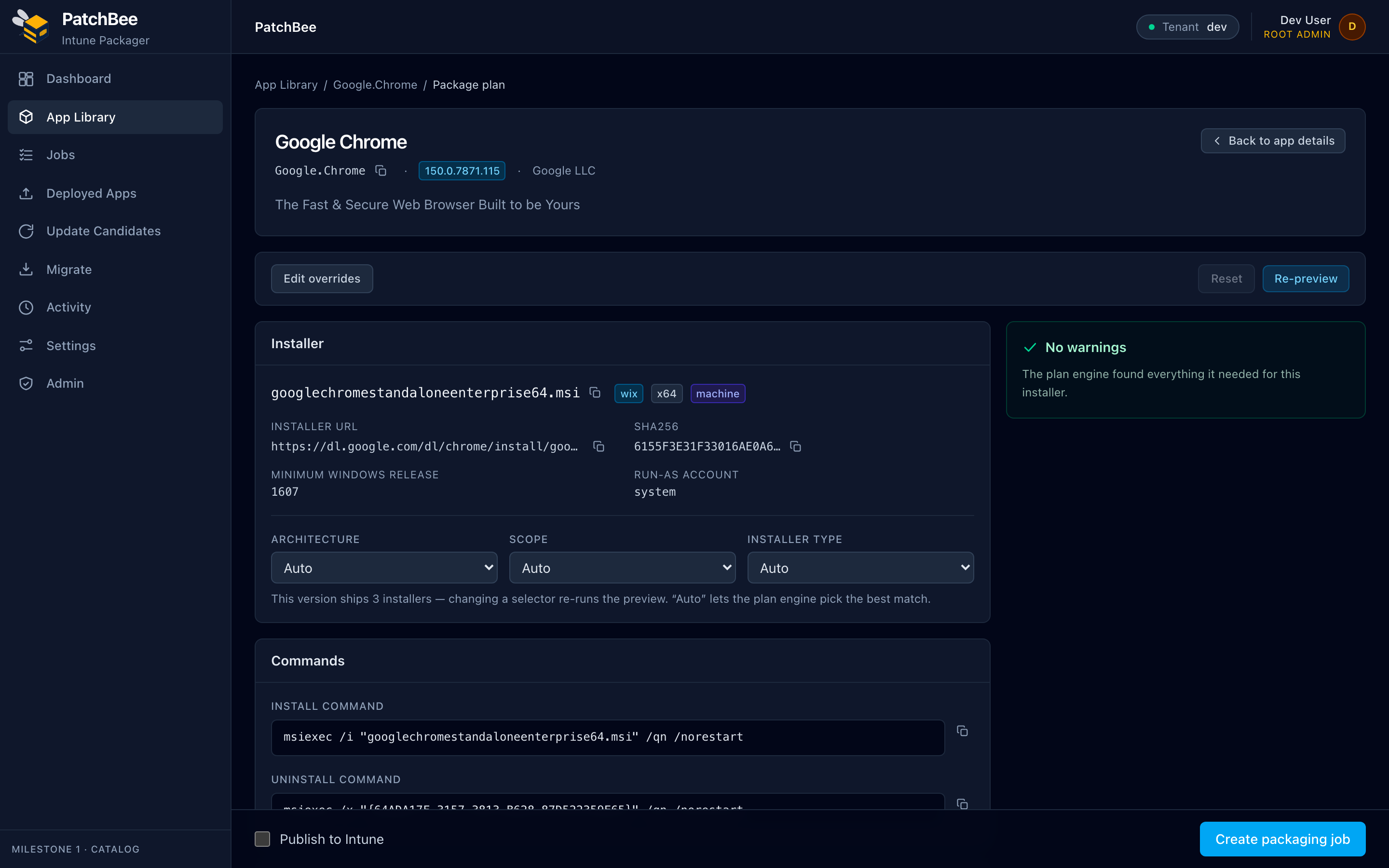
A complete Intune plan, generated for you
Pick an app and PatchBee builds the whole plan: install and uninstall commands, detection rules, requirements, run-as context, and a signed .intunewin, with the installer's SHA-256 verified before anything ships.
- Install / uninstall commands and detection rules
- Requirements, architecture and run-as resolved automatically
- Review and override any field before you package
Silent-install engine
The right silent switches, every installer type
MSI, EXE, Inno Setup, NSIS and WiX/Burn get the correct unattended switches automatically. Zip and portable apps are wrapped so they install silently too, so every package deploys without a click.
- Automatic silent switches per installer family
- Zip and portable apps wrapped for unattended install
- Machine- or user-scope install resolved for you
macOS + native MSIX
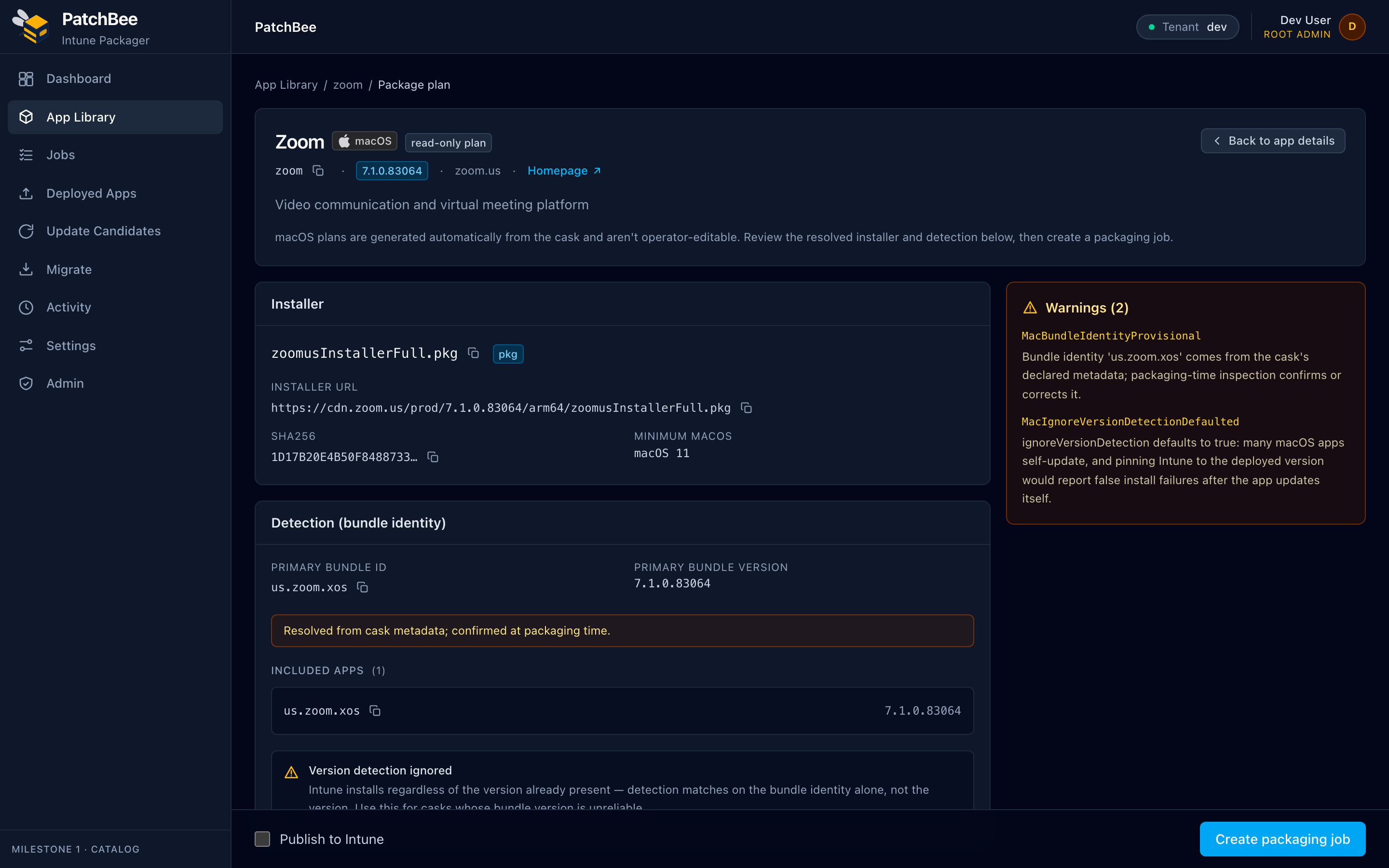
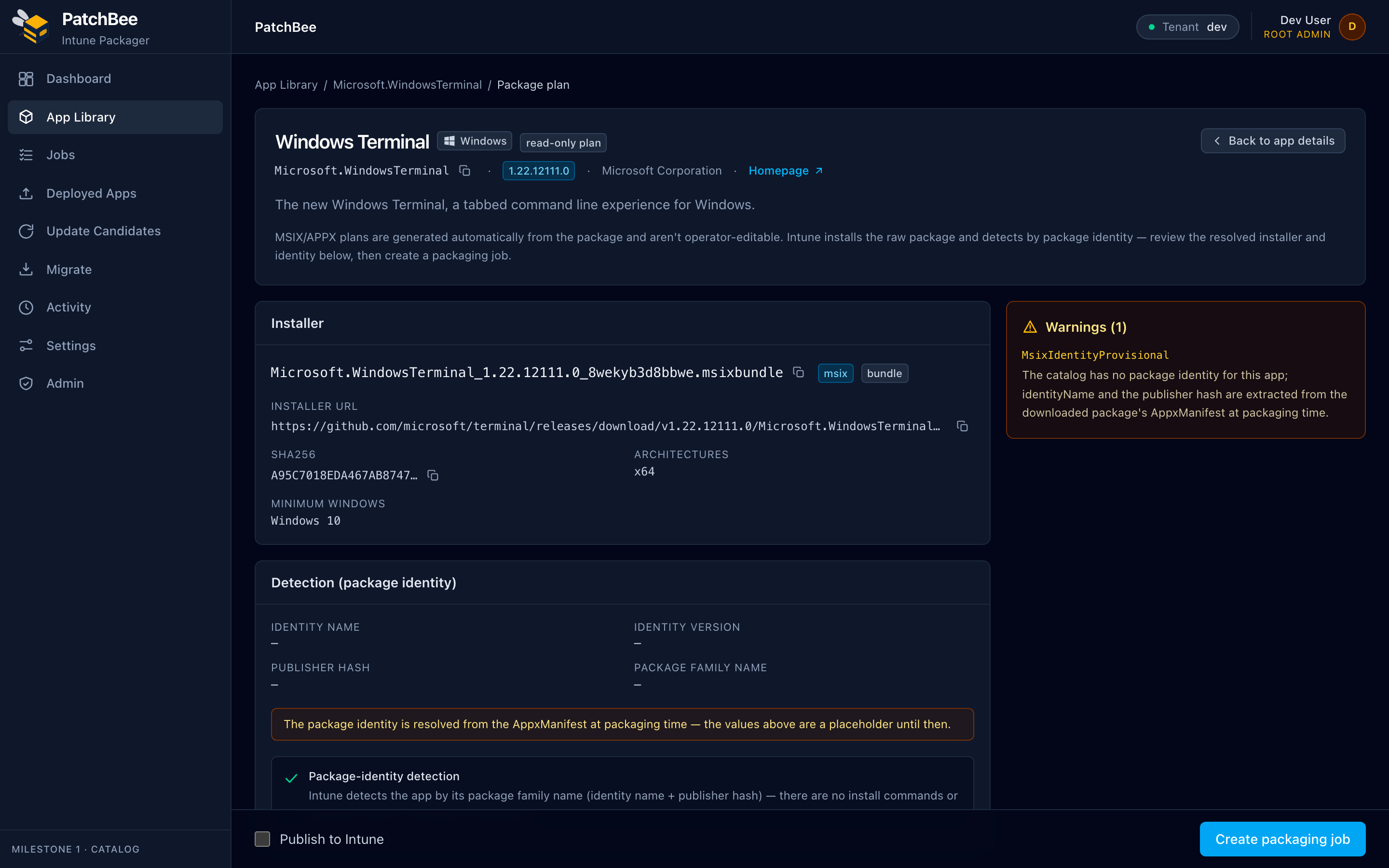
Windows and macOS parity, including native package types
MSIX and APPX publish as Intune's native Windows app type and detect by package identity. macOS pkg and dmg installers deploy with bundle-identity detection. 100% of the catalog has a working deployment path.
- MSIX / APPX as Intune's native app type
- macOS pkg / dmg with bundle-identity detection
- 100% of the catalog is deployable
Publish & assign to Intune
Package, publish and assign from one screen
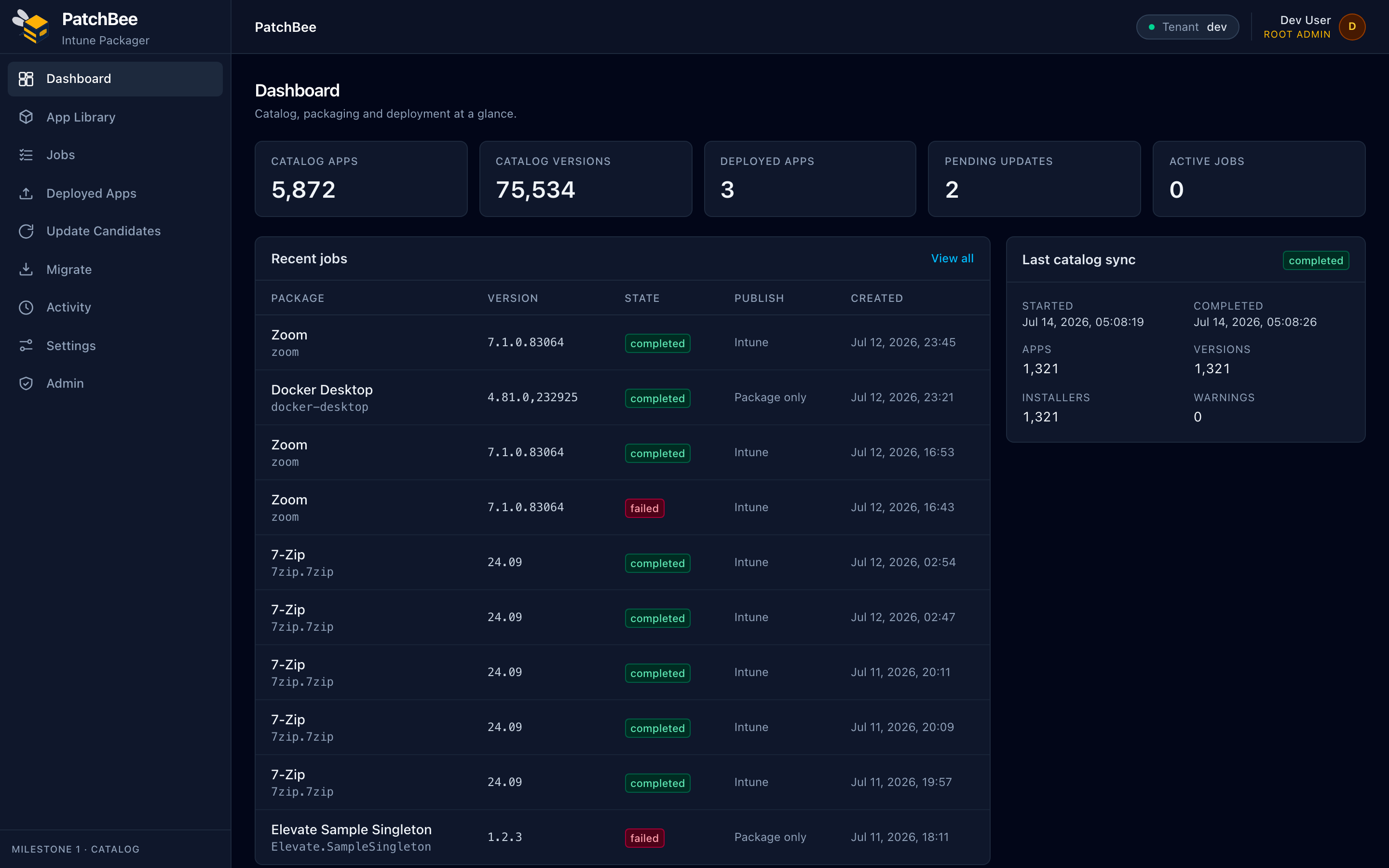
Connect your tenant once with a least-privilege Entra sign-in, then take an app from catalog to assigned Entra groups without leaving PatchBee. Track every packaging job and catalog sync from the dashboard.
- One-time, least-privilege Entra connection
- Publish and assign to Entra groups in-app
- Job history and catalog-sync status at a glance
Update automation
Keep every app current, on your terms
PatchBee detects new versions and rolls them out through staged rings with auto-approve policies. Supersedence chains upgrades cleanly, and one-click rollback gets you back to a known-good build fast.
- New-version detection across the catalog
- Staged rollout rings and auto-approve policies
- Supersedence and one-click rollback
Multi-tenant & MSP
Run many customer tenants from one console
Switch between customer Intune tenants from a single console, with per-customer scoping so a job always lands in the right place. MSP mode keeps every customer's catalog and deployments isolated.
- Many Intune tenants, one console
- Per-customer scoping and isolation
- MSP mode for managed-service providers
Security
Secure by design, end to end
Sign in with Entra, keep connection secrets encrypted at rest, and download installers through SSRF-guarded fetches with SHA-256 verification, so what you package is exactly what the publisher shipped.
- Entra sign-in with encrypted connection secrets
- SSRF-guarded installer downloads
- SHA-256 verification on every installer
Try PatchBee on your tenant.
Connect Intune, package a real app, and publish it during a trial. No card needed to explore the catalog.